AI in your company
Invoices, contracts and enquiries without retyping: AI reads, you approve
AI implementation for business starts with one task that eats time today: reading an invoice, a contract or a customer enquiry. AI pulls out the data and prepares a draft, and a person checks the result before it moves on.
We reply within 1 working day and tell you whether AI makes sense in your case.
- No retypingNumber, dates and amounts read straight from the PDF.
- NIP and VAT checkedNIP checked in the registers, VAT rate suggested.
- Doubts show at onceA field AI was unsure about waits flagged.
- Decision: a personNothing goes on without your decision.
- Process automation
- from 8,000 PLN
- CRM / ERP system
- 20–90k PLN
- AI document reading in our Biurko
- since September 2026
Who reads all those PDFs today?
- Now
Invoices and contracts in PDF
Someone retypes the data from a document into the system, field by field.
With the systemAI reads the fields and shows them next to a preview of the original. You correct them if needed, and only then does the data move on.
- Now
Checking NIP numbers and VAT rates
Supplier, NIP (Polish tax number), rate: searched by hand in several places every time.
With the systemThe system checks the supplier in the registers, and AI suggests the rate. The decision stays with you.
- Now
Replies and quotes written from scratch
The enquiries are similar, yet someone composes every reply from the beginning.
With the systemAI prepares a draft reply or quote. You send it only after reading it.
- Now
A chat that does not know your company
A browser tool cannot see your customers or orders, so the result still has to be carried over by hand.
With the systemAI works inside your system, so the result lands right where it is needed.
Reading, checking and drafting, and the decision stays with you
AI reads documents and writes drafts, and the system checks supplier data in the registers. We start with one layer and add the next when the first one works.
- Layer 01
Document reading
- Read fields next to a preview of the original
- Foreign invoices, receipts, bills, contracts in PDF
- Phone photos handled just like files
- Layer 02
Data checks
- Supplier NIP checked in the registers
- A suggested VAT rate for you to confirm
- Fields AI was unsure about are marked
- Layer 03
Drafts of replies and quotes
- A draft reply to a customer enquiry
- A draft quote from data already in your system
- A queue of drafts to read before sending
Biurko: KSeF invoicing and AI document reading
PDF → invoice
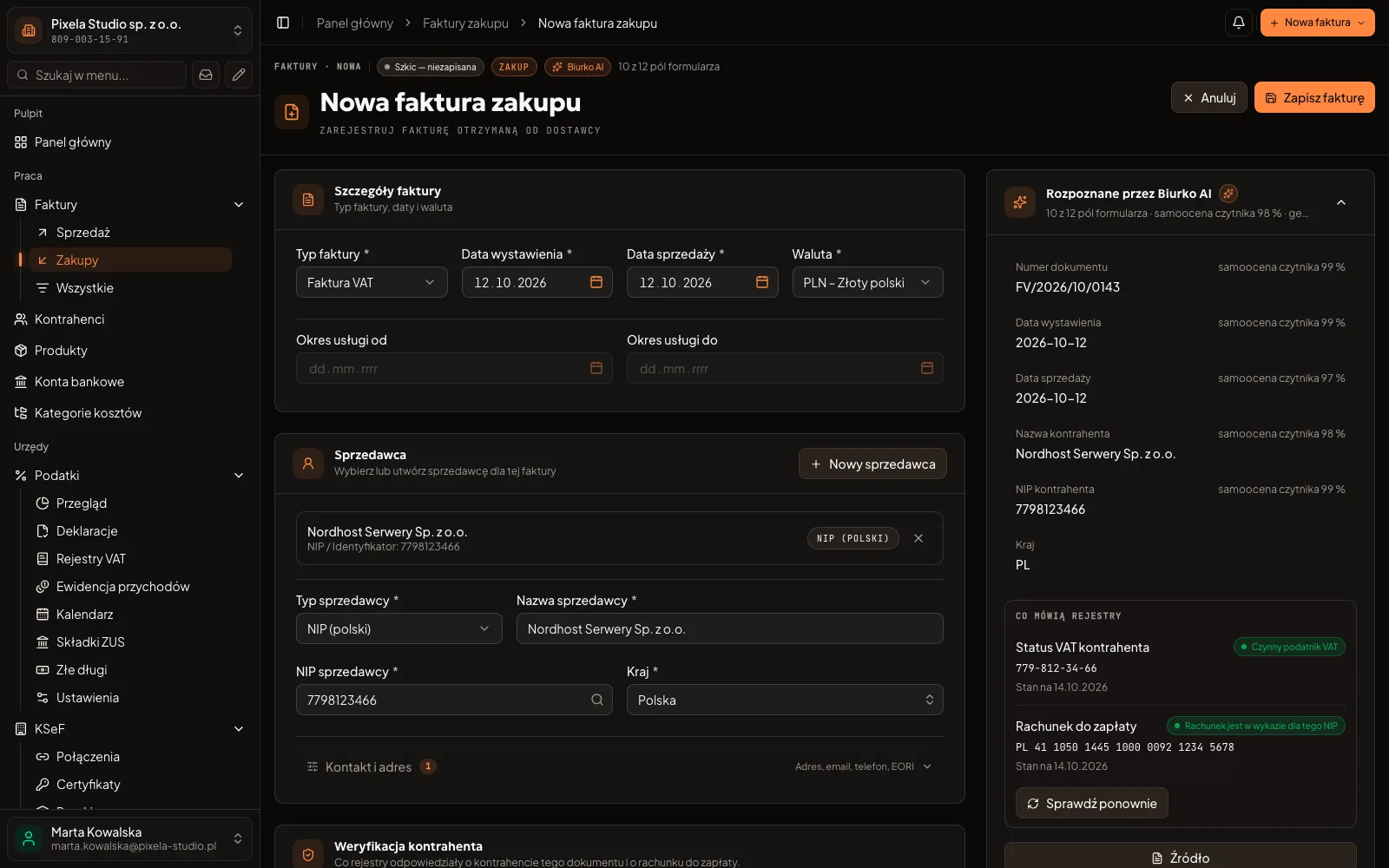
AI fills in the purchase invoice fields, a person checks them
An invoice starts with a file
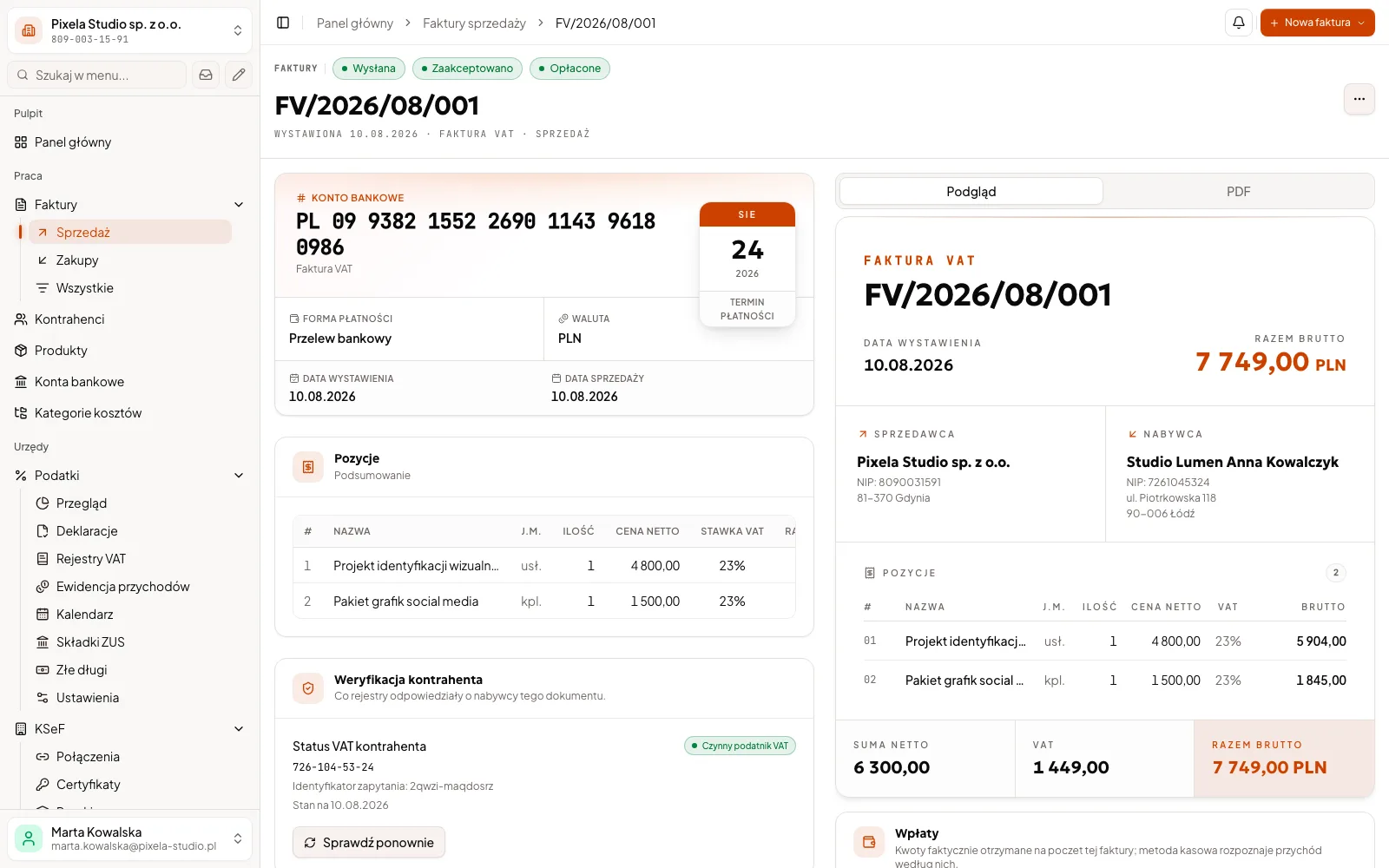
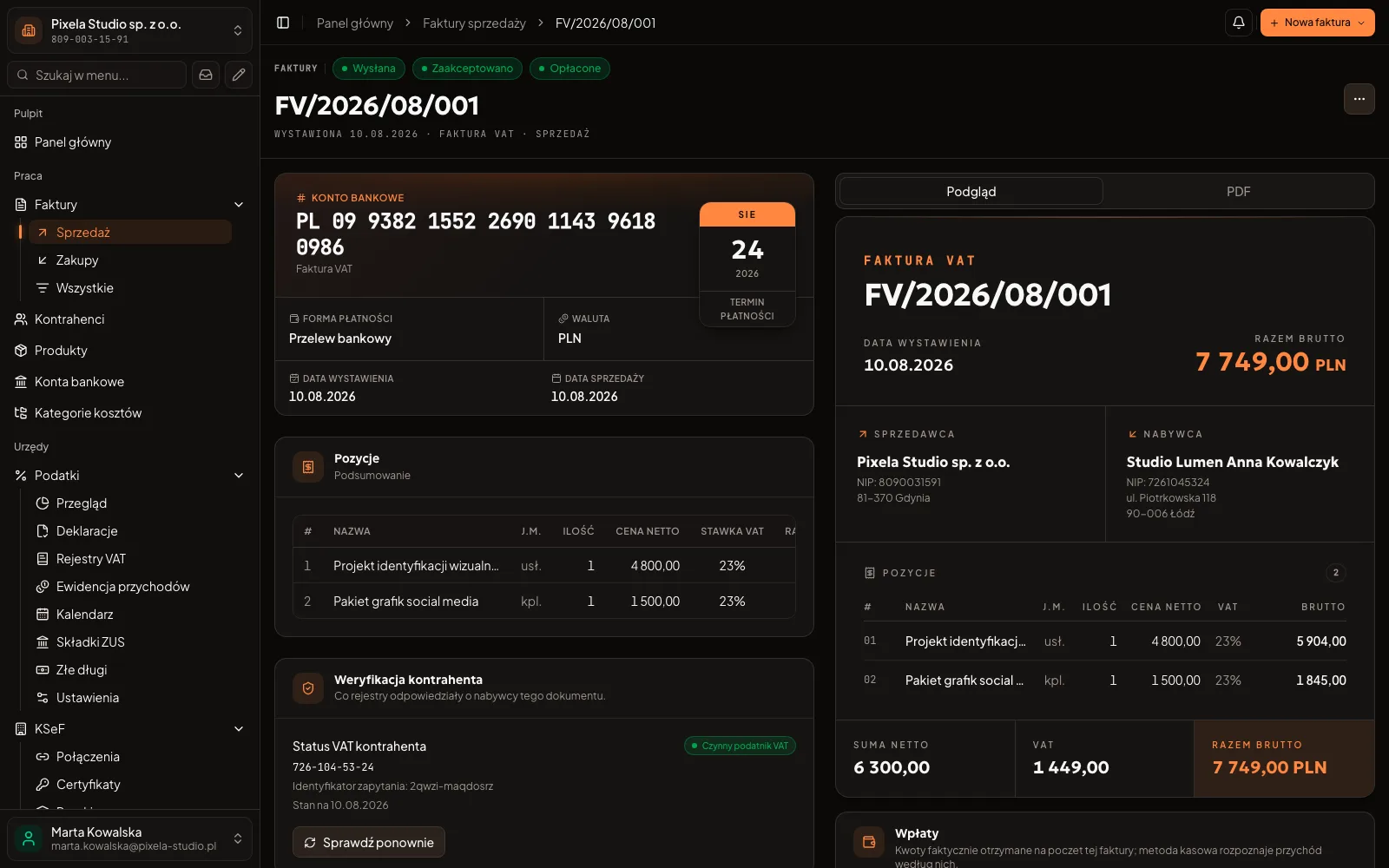
This is how Biurko, our own invoicing product, works: you upload a PDF, and AI reads it, fills in the invoice form and suggests the VAT rate. The invoice moves on only once a person has checked it. We build document reading for your company the same way.
See the Biurko project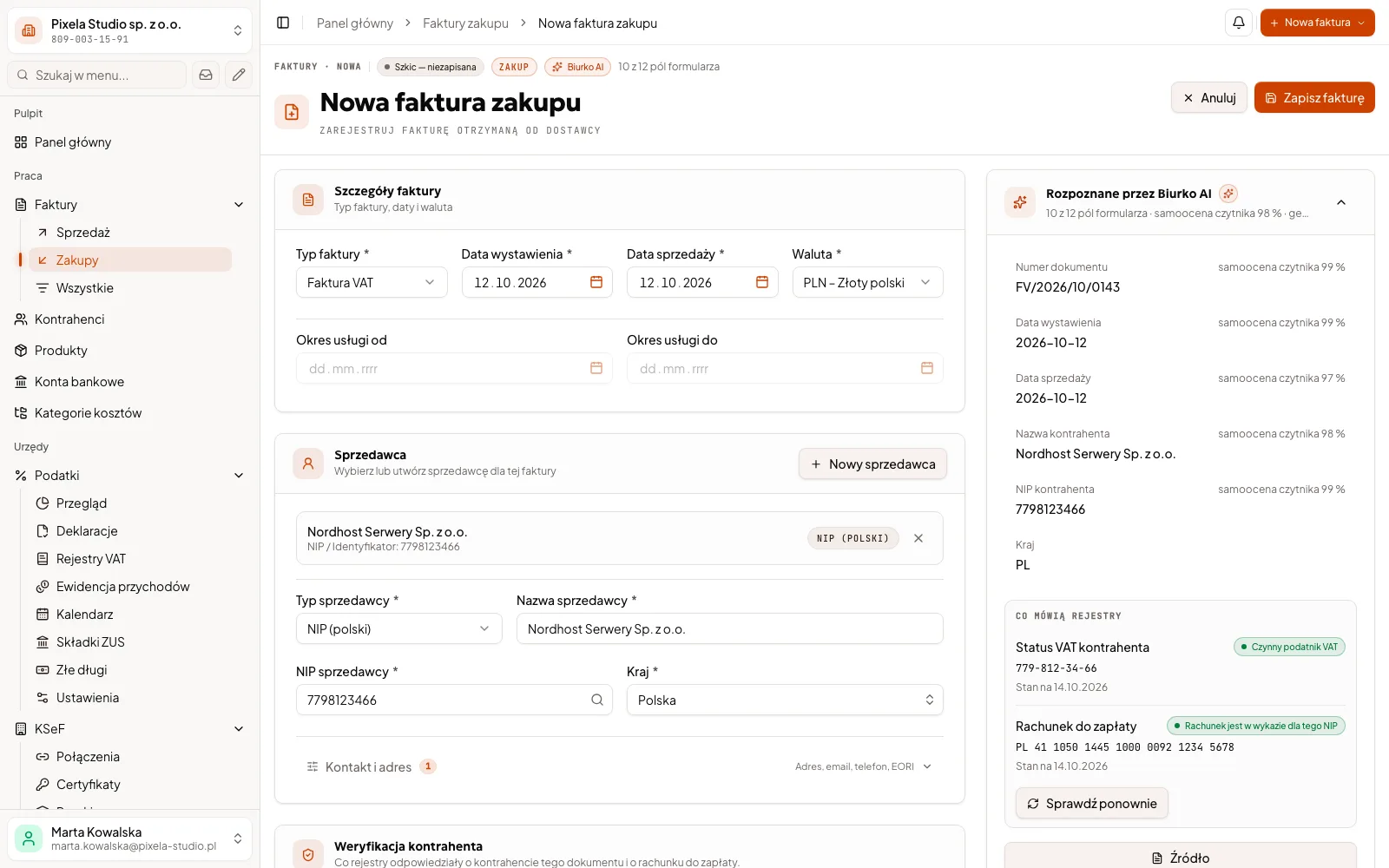
What to implement first and for how much?
02 / 03 · In your system
Document reading
PLN 29,000–35,000
A small system with its own dashboard, where AI reads your documents and the result reaches the database only after a person has checked it.
Describe your process- Reading invoices, receipts and contracts in PDF
- A preview of the original next to the read fields
- History: who approved the reading and when
This is an example estimate, net prices. We give the exact price after a talk.
A chat in the browser or AI in your system?
- When it pays off
- Ready-made AI toolWhen you want to summarise a text or draft an email. Then a ready-made chat is enough and we build nothing.
- Data
- Ready-made AI toolYou paste it by hand into someone else’s tool.
- Control
- Ready-made AI toolYou carry the result over by hand and have to check yourself that it is right.
- Cost
- Ready-made AI toolYou usually pay per user or for usage with the provider.
- Models
- Ready-made AI toolWhatever the tool’s vendor chose.
A larger company? We agree data access, permissions and the contract with the model provider with your IT team and with your data protection officer, if the company has one.
Step by step
AI implementation for business: task, data, law and cost
AI for a small business starts with one task and the question of whether the result can be checked; there is no model of your own to train. This is how we run the rollout and how we answer the questions about data, law and cost.
Start with a task whose result can be checked
AI handles text and documents well: it pulls data out of an invoice, a contract or an order in PDF, sorts enquiries and writes draft replies. The best first task repeats often, takes someone hours of retyping today and its result is easy to compare with the document: invoice fields, a contract number, an amount. When the result cannot be checked quickly, we start with a different task.
Where AI does not fit
Where the result is always calculated the same way, AI is not needed: an ordinary formula works out a rate from a table or a deadline from a contract faster and cheaper. It copes less well with handwriting, stamps across the page and blurry photos; it marks such fields as uncertain more often. Nor do we hand it decisions that go to a customer or a public authority before a person has read them.
Test AI on your own documents
In the trial we run AI on your real documents and show the result field by field: what it read correctly, where it gets things wrong and which fields it marked as uncertain. The trial is part of the first stage, so you decide on the next ones once you can see the result. If the accuracy is too low, we say so openly and build no further.
This is how we built a system for a property manager with a module that reads PDF documents with AI: 4 stages, each closed with a sign-off record, 11 weeks from kick-off to final sign-off.
A person checks, the system remembers
AI does not send or post anything on its own. Every result waits in a queue next to the original, uncertain fields are marked, and the system records who checked the result and when. After a month you can see where AI is wrong most often and what to improve.
Data: who signs a contract with whom
An AI model is a provider’s service, most often Anthropic or OpenAI. Your company signs the contract with the provider, together with its data processing agreement, on its own account: you pay the provider directly and see the usage. We help set up the account.
When building or maintaining the system gives us access to personal data controlled by your company, we sign a data processing agreement with you, as art. 28 of the GDPR requires. Before launch we agree together which fields go to the model and which are never sent.
Model providers may process data outside the European Economic Area, for example in the USA. The basis is usually the standard contractual clauses adopted by the European Commission (art. 46(2)(c) of the GDPR), and the provider’s data processing agreement states the exact basis. Under these providers’ commercial terms, data from a business account is not used to train their models.
The AI Act: what concerns a small business
The EU Artificial Intelligence Act (AI Act) sorts uses of AI by risk. Reading invoices, sorting enquiries and drafting replies are not among the high-risk areas listed in Annex III. Annex III does list recruitment, including filtering CVs and assessing candidates: such a task needs a separate analysis before we build anything.
When an assistant talks directly to your customers, they must know they are talking to an AI, unless it is obvious (art. 50(1) of the AI Act). That is why the assistant says so in its first message. We do not give legal advice: in borderline cases it is worth asking a lawyer.
What the model costs and how long the start takes
You pay the provider for the model by usage. The amount depends on the number and length of documents and on the chosen model, so we do not give it up front: we calculate it during the trial on your documents and tell you before the system goes live. The first AI process in a program you already have usually takes 2 to 4 weeks; the timeline of your own system goes into the quote.
Questions
What people ask before implementing AI
Price, models, data and what to do when AI gets it wrong.
One AI process in a program you already have costs from 8,000 PLN net. Your own system with document reading is shown in the example quotes above, in the packages. In the Pricing section on the home page you can build an approximate quote from modules, and we give the exact price after a talk.
No. We use ready-made models and do not train our own. The model gets an instruction and the document it has to read; the supplier’s NIP is checked by the system in the registers; AI does not do it.
It can. That is why you see every read field next to the original and confirm it before it reaches the database, and the fields AI was unsure about are marked.
Only the fields we choose together before launch. The providers, the agreements and processing outside the EEA are described above, in the part about data.
The first AI process usually takes a few weeks; the typical range is given above, in the part about cost and the start. The timeline of your own system with document reading goes into the quote, stage by stage: it depends on the kind of documents and the number of connections to your programs.
When the budget does not reach our lowest price (process automation from 8,000 PLN). When an ordinary formula solves the task (see above, in the part about where AI does not fit). When a mistake is costly and nobody can check the result.
Related services
These usually go together with what you have just read.
- Business process automationInvoices, KSeF and reminders without manual work
- Custom CRM developmentClients, quotes and sales in one system
For your industry
Describe the documents someone retypes today
Write a few sentences about which documents or enquiries your company handles and how many there are a month. We will ask for sample files by email in our reply and tell you whether AI makes sense here.
- You describe the task and the kind of documents.
- We talk about what AI can take on and what stays with a person.
- You get a quote split into stages.
A free automation map
We talk for up to 45 minutes about how you work. Within 3 working days of the conversation you get a 1–2 page PDF by email: 3–5 of your company's processes, where to start, and an approximate price and time range for the first stage. No commitment, and the document stays with you.