Process automation
KSeF invoices and payment reminders that send themselves
Business process automation starts with one task someone does by hand today, such as retyping an invoice or watching a payment deadline. We build it once, in the programs you already use: the system sends the invoice to KSeF (Poland’s National e-Invoicing System) or the reminder to the customer, and you only check the exceptions.
We reply within 1 working day and suggest what to automate first.
- Process automation
- from 8,000 PLN
- CRM / ERP system
- 20–90k PLN
- Ways to connect to KSeF in our Biurko
- 3
How many hours a week does someone spend retyping?
A single task looks harmless until it takes half of Monday.
- Now
An invoice retyped from one program to another
The order is in one system, the invoice in another, and someone adds the KSeF number to a spreadsheet.
With the systemThe invoice is created from the order and goes to KSeF without retyping. The number returns to the order record.
- Now
A reminder someone has to remember
A payment deadline passes, a contract ends, a customer has not replied. Someone has to remember and write.
With the systemThe system sends the reminder on the day you set. You only see the list of people who have not answered.
- Now
The same data typed twice
Customer data from a form lands in Excel, then in the invoicing program, then in an email.
With the systemThe data is entered once. The other programs receive it through a connection.
- Now
Programs that do not talk to each other
Each does its job well, and between them sits a person with copy and paste.
With the systemThe programs pass the data to each other. The person handles what needs a decision.
The system does the repeatable tasks, the exceptions stay with you
We start with one process. When it works, we add the next.
- Layer 02
Reminders and deadlines
- Automatic payment reminders on the days you set
- Contract and quote deadlines watched by the system
- A list of people who have not replied yet
- Layer 03
Connections to your programs
- System integration through an API or a file
- Stripe, PayPal, GUS (the national business register) and NBP (National Bank of Poland) exchange rates
- Excel data loaded into the system
- Layer 04
Exceptions and control
- A list of what the system left for your decision
- A log: what moved on, when and with what result
- The option to stop a process with one click
Screens of our systems
The dashboard of Biurko, our product: invoices, revenue and receivables on one screen.
Biurko: KSeF invoicing and AI document reading
11
invoice types, from VAT to proforma
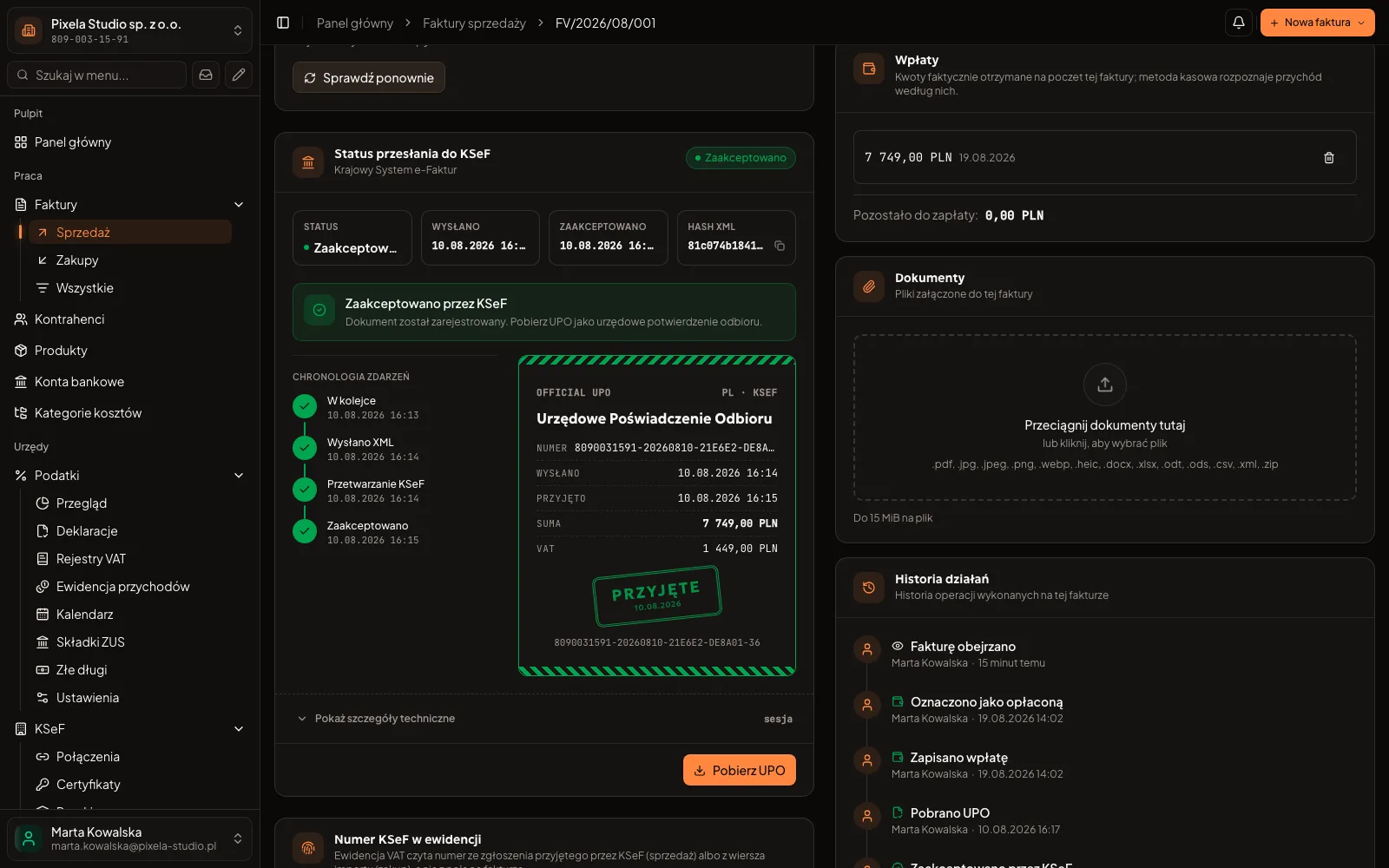
Sending to KSeF has worked in Biurko, our product, since June 2026
Biurko is our own product: it issues invoices, sends them to KSeF one by one and in batches, and fetches purchase invoices. We connect your program to KSeF the same way: the invoice goes out, and the KSeF number comes back to the order record.
See the Biurko project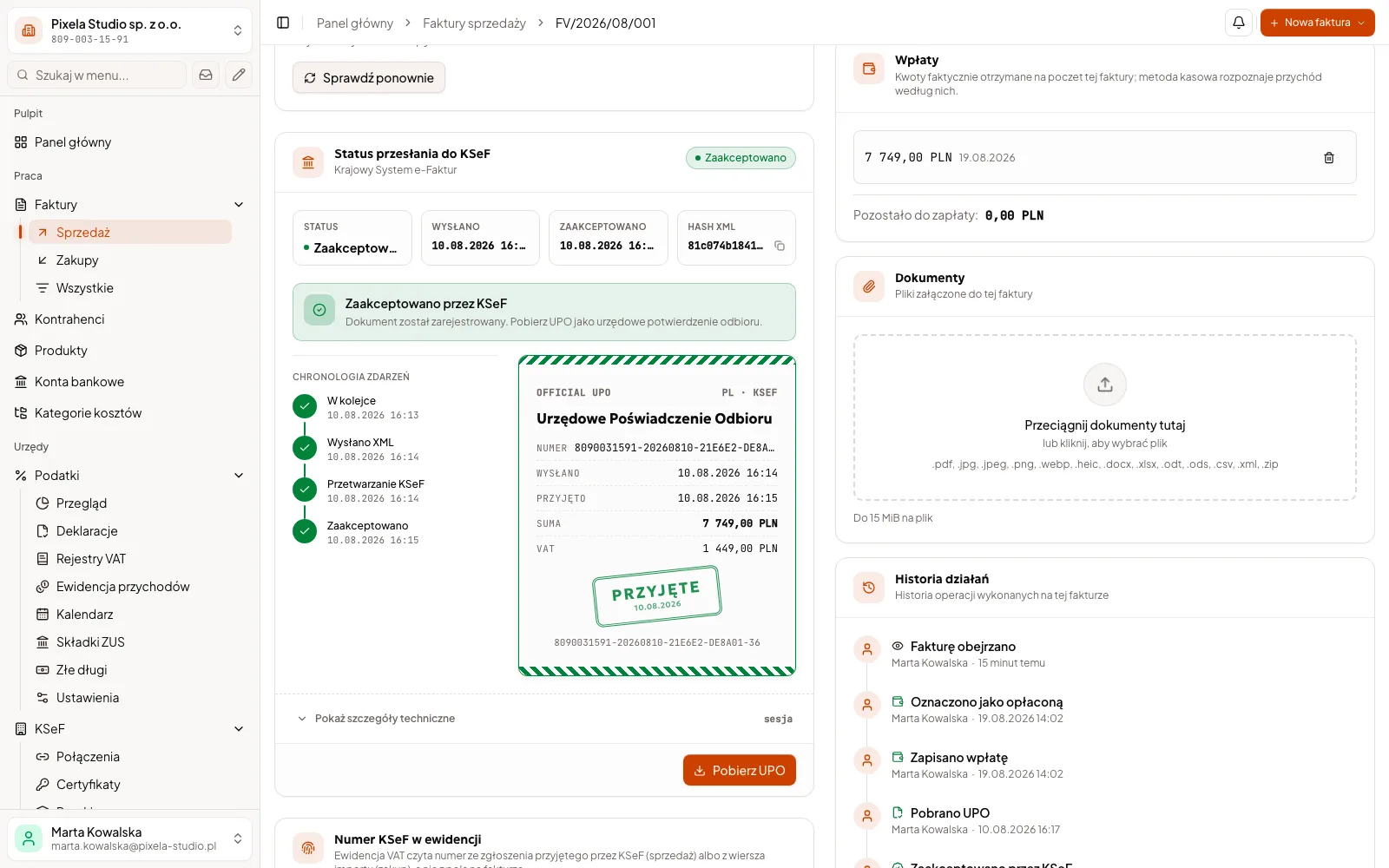
Where do you start, and what does it cost?
02 / 03 · Your own dashboard
KSeF and documents
PLN 30,000–36,000
When you need your own dashboard with logins and roles: orders, invoices sent to KSeF and documents together. That is why the system core is in the price.
Describe your process- Invoices from orders sent to KSeF, the number returns to the record
- PDF documents created automatically
- Import from Excel and export to Excel
This is an example estimate, net prices. We give the exact price after a talk about your process.
A ready-made tool or your own automation?
- When it pays off
- Ready-made toolWhen the process is typical and the program has the connection you need.
- Cost
- Ready-made toolA low fee to start, and the monthly one usually grows with the number of people.
- Changes
- Ready-made toolYou ask the vendor and wait for their plan.
- Data
- Ready-made toolIt sits with the vendor, and export depends on their rules.
- Start
- Ready-made toolWorks right after purchase.
A larger company? We agree access and connection security with your IT team, and describe every connection so that it is clear which program exchanges data with which.
Step by step
Business process automation: where to start
It starts with one task handed to the system, and the next ones follow. This is how we pick the first one and how we put it in place.
Pick a task that comes back every week
The best candidate repeats often, follows a clear rule and takes time from someone who should be doing something else: retyping an invoice from an order, a payment reminder, moving customer data from a form into a program. If you can describe it as “when X arrives, do Y”, it can be automated.
We do not start with a process where every case is different or the decision needs a talk with the customer. There the system can suggest, but it will not replace a person.
Work out what the task costs you today
Before any price, we count three things together: how many times a month the task repeats, how long it takes each time and what happens when someone forgets it. A reminder sent a week late costs more than a quarter of an hour of work: the money arrives later.
These numbers show whether automation pays off. When the task happens twice a year, we will tell you it is not worth the budget.
Check whether the program you have is enough
Many invoicing and sales programs already have reminders, data export and a KSeF connection. If your program does what you need, setting it up well is enough. Your own automation makes sense when data moves between several programs that will not connect on their own, or when your company works differently from what the vendor planned.
Automation or integration?
Automation is a rule: the system takes the next step on its own, for example sends a reminder three days after the payment deadline. Integration is a connection: two programs exchange data, for example an invoice from your system goes to KSeF and the KSeF number returns to the order record. Usually you need both. A connection through an API or a file is built once, and later automations use it too. When a program has no API, a regular export to a file that the system reads by itself is often enough.
KSeF: what already applies
Since 1 February 2026, invoices from suppliers have been received through KSeF. Since 1 April 2026, invoices have been issued in KSeF, and the largest companies have done so since 1 February 2026. The smallest businesses, with invoiced sales of up to PLN 10,000 including VAT a month, may issue invoices outside KSeF until 31 December 2026. From 1 January 2027, KSeF is mandatory for everyone. We take the dates from the Ministry of Finance site ksef.podatki.gov.pl.
For automation this means one thing: the invoice goes through KSeF anyway, so it is best if your program sends it by itself and stores the number with the order.
What the first automation looks like
A single automation usually takes 2 to 4 weeks, and the binding timeline goes into the quote. The steps from the first talk to signing off the stage are described above, under “You pay for a stage you can see”.
From day one the system keeps a log and a list of exceptions: whatever it cannot decide, it leaves to you. Once the first automation works, we build the next one on the same connection, so it does not start from scratch. We ran a larger project the same way: a system for a property manager was built in 4 stages, each closed with a sign-off record, 11 weeks from kick-off to final sign-off.
After a month, check whether it paid off
After a month, compare the result with the numbers from the start: how many times the system did the task by itself, how many cases it left on the list of exceptions and how much time someone got back. The log and the list of exceptions show this without counting by hand. When there are many exceptions, it is worth improving the rule before the next process comes in. It is also a good moment to pick the next task, most often a neighbouring one: after sending invoices to KSeF, the usual next step is automatic payment reminders for the same invoices.
Questions
What people ask before automating
Price, KSeF, your programs and when we are not the right choice.
Automating a single process costs from 8,000 PLN net. Examples of a larger scope, with your own dashboard, are in the packages above. In the Pricing section on the home page you can build an approximate quote from modules, and we give the exact price after a talk about your process.
Usually not. A program with an API or a data export can be connected to the system we build. We check what your program accepts at the start of the talk.
Your system passes the invoice, and our connection sends it to KSeF and returns the number and status. An invoice KSeF does not accept goes back to the list of exceptions with a description of the problem. The KSeF dates are described above, under “KSeF: what already applies”. We do not give tax advice: that is your accountant’s work.
The system leaves everything ambiguous to you and keeps a log of what it did. Errors in a finished stage are fixed within the fix period described above.
A single automation usually takes a few weeks; the typical range is given above, in the part about the first automation. The binding timeline of every stage goes into the quote, because it depends mainly on the number of connections to your programs.
When the budget does not reach our lowest price (process automation from 8,000 PLN): for less we cannot do even one process properly. When a ready-made program already does the job: we will say so in the consultation and not build our own. When you need a developer by the hour: we do not join other teams or extend other people’s code without analysis.
Related services
These usually go together with what you have just read.
- AI implementation for businessAI reads the documents, the decision stays with you
- Custom ERP for small businessOrders, stock and documents without spreadsheets
For your industry
Describe what your company does by hand today
Write a few sentences about the process that takes the most time and the programs your company works in. We will reply with what can be automated and where to start.
- You describe the process and the programs your company uses.
- We talk about what to automate first.
- You get a quote split into stages.
A free automation map
We talk for up to 45 minutes about how you work. Within 3 working days of the conversation you get a 1–2 page PDF by email: 3–5 of your company's processes, where to start, and an approximate price and time range for the first stage. No commitment, and the document stays with you.