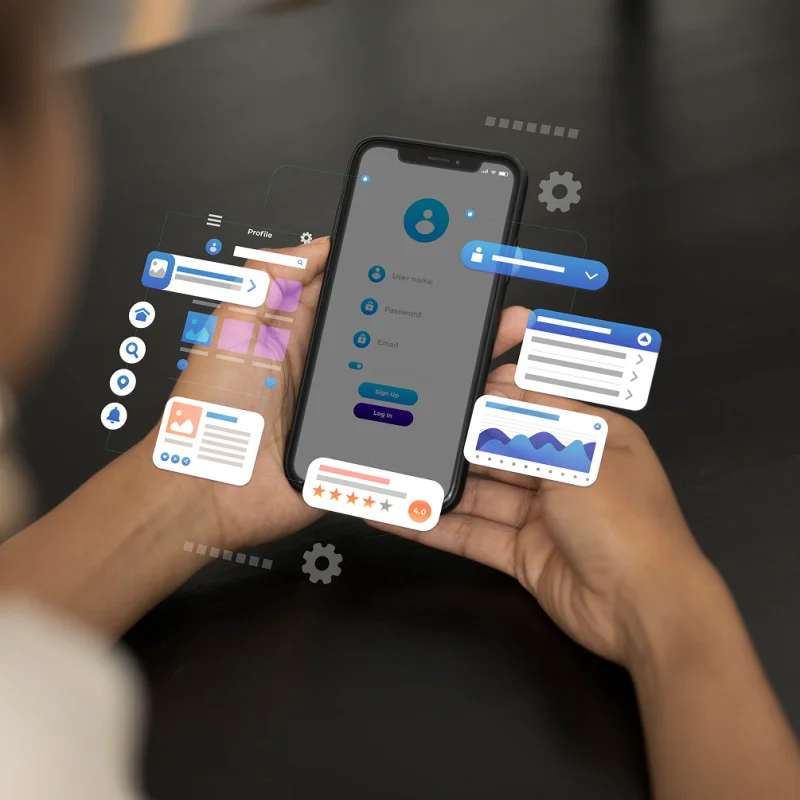
What Progressive Web Apps are and why they matter now
Every business owner knows the dilemma. Customers and employees expect a convenient mobile app, but native iOS and Android development can run into hundreds of thousands of dollars. Add constant updates, two versions to maintain and long delivery times. A Progressive Web App (PWA) is a web application that behaves like a native one. It can be installed on the home screen, works offline and sends push notifications, but it runs in the browser and needs no separate version per platform. Google case studies report an average 68% rise in mobile traffic and a 52% rise in conversions for companies that adopted PWAs. Below we look at how this fits a CRM, an ERP or automation processes. PWAs use modern browser APIs to get close to the native experience. The key difference is that a PWA runs on any device with a browser, with no download from the App Store or Google Play.
Three pillars of PWA technology:
1. Responsiveness. A PWA adapts to any screen, from a phone to a tablet to a desktop. Your employees use the same CRM whatever device they have in hand.
2. Offline operation. Service Workers cache key data and functions. A sales rep can browse customer records in the CRM with no connection, and the changes sync once the device is back online.
3. Installability. Users add a PWA to the home screen in one click, with no app store involved. For B2B customers this makes onboarding much quicker.
Why now?
Browser support has improved a lot in recent years. Safari, Chrome, Firefox and Edge all handle the key features. According to Can I Use, over 94% of internet users have a browser that fully supports PWAs.
The COVID-19 pandemic pushed business digitalisation forward by an estimated 5 to 7 years. Companies want solutions that are quick to roll out, work remotely and do not need a huge investment. A PWA fits that.
PWA vs native apps: costs and capabilities
A common myth says native apps are always better. For many business applications that is simply not true.
Development cost:
Building a native app for iOS and Android typically costs from $80,000 to $250,000, depending on complexity. On top of that you pay for:
Separate teams or skill sets for each platform
Store review and publication (2 to 14 days)
Developer accounts ($99 a year for iOS, a one-time $25 for Android)
Updates and maintenance for two separate codebases
A PWA, by contrast, gives you:
One codebase for every platform
Development cost 40 to 60% lower than two native apps
Updates that go live instantly, with no store approval
No publication fees
When a PWA is the right choice for business systems:
CRM and sales systems. If the sales team needs customer data, order history and quick contact entry, a PWA fits well: one system for office laptops and phones in the field.
ERP and management panels. A production or logistics manager who watches processes from a tablet on the shop floor gets dashboards without installing anything.
B2B customer apps. If your business clients need a portal for placing orders, checking status or finding documentation, a PWA removes the installation barrier.
When a native app makes sense:
Native is still better for:
Heavy use of hardware (advanced camera work, real-time GPS, sensors)
Games and apps with demanding graphics
Features that need deep OS integration
For most business systems (CRM, ERP, B2B portals) a PWA gives you around 90% of native functionality for about half the cost.
What a PWA gives a business system
Faster rollout and updates
In the traditional model, every mobile app update means:
Development in two versions (iOS and Android)
Testing on both platforms
Submission to the app stores
Waiting for approval (1 to 14 days)
Waiting for users to update the app
With a PWA it looks different:
You deploy the update to the server
Users get it automatically the next time they open the app
Deployment takes minutes, not days
In a fast-moving business that matters. Found a bug in price calculation in your sales system? You fix and deploy it in 15 minutes. Adding a new report to the ERP? Users see it at their next login.
Offline access and data sync
This is one of the most underrated advantages of PWAs in business. Service Workers make it possible to:
Cache key data. The CRM can keep records of the most visited customers on the device. A rep at a meeting with no signal still sees the full contact history.
Queue offline actions. When an employee fills in an order form in the ERP without a connection, the data is stored locally and syncs automatically once the connection returns.
Reduce server load. Static resources (interface, styles, scripts) load once and stay cached. The app runs faster and infrastructure costs fall.
According to PWA Stats, apps with offline support are used about three times as often as standard web apps.
Engagement through push notifications
Push notifications keep people engaged, and not only in e-commerce. They work in B2B systems too.
Practical uses:
CRM and sales systems:
A new lead that needs a call
A reminder about a scheduled client meeting
A change in quote status
ERP and production systems:
A finished production run
Low stock levels
A project going over budget
B2B portals:
A change in order status for the client
A payment deadline coming up
A new document available
One difference from native apps: in a PWA the user consciously agrees to notifications, which according to OneSignal data means engagement about 30% higher.
SEO and discoverability
This is often overlooked, but it matters. Unlike native apps, PWAs:
Get indexed by Google. Your business application can show up in search results. Someone searching for a "CRM system for manufacturing" can land straight in your application.
Can be shared by URL. You send a client a link to a specific screen, they click and they are in the app. No installation, no extra steps.
Support deep links. Users can bookmark a direct link to a customer record or a sales report. Native apps need complicated configuration for that.
B2B apps are often opened from a link in an email or messenger, so this removes friction and speeds up onboarding.
PWAs in practice across business models
B2B and enterprise systems
A PWA works well in corporate environments where:
Devices are mixed. Different departments use Windows, Mac, Android and iOS. A PWA behaves the same on all of them.
IT wants control. The IT department can roll out the app without going through the stores. Security updates go live immediately.
Existing systems must stay. A PWA connects to your backend through APIs, so it can sit on top of your current CRM, ERP or legacy systems.
Example scenarios:
A portal for sales reps with products, price lists and order history
A field service system that records jobs offline
A management dashboard with real-time data
E-commerce and online retail
For online stores a PWA is a direct route to higher conversion:
Loading speed. A PWA typically loads 2 to 3 times faster than a traditional site. Google reports that 53% of users leave a site that takes more than 3 seconds to load.
Add to home screen. Customers can install your store on their phone in one click, which makes them far more likely to come back.
Promotion notifications. You can tell customers about new offers or restocked products without building a mobile app that costs hundreds of thousands of dollars.
Market data shows that stores adopting PWAs see:
A 20 to 40% rise in conversion rate
A 50 to 300% rise in mobile engagement
A 30 to 50% drop in bounce rate
Services and manufacturing
For service and manufacturing companies a PWA opens new digitalisation options:
Fleet and field staff. An app for drivers or service technicians that works offline and syncs data when they are back in range.
Quality control and audits. Inspectors fill in checklists and take photos in the app, even without internet on the production floor.
Reservations and booking. A booking system for rooms, machines or vehicles that employees open in the browser with nothing to install.
Technical aspects of a PWA implementation
Technical requirements
The good news: if you already have a working web application, the way to a PWA is short.
Basic requirements:
HTTPS. A PWA needs a secure connection, which is standard on any professional site today.
Service Worker. A background script that manages caching and offline features.
Web App Manifest. A JSON file describing the app: name, icons, colours.
Additional features need:
Push API for notifications
Cache API for offline operation
IndexedDB for a local database
Most modern frameworks (React, Vue, Angular) have built-in tools for building PWAs.
Integration with existing infrastructure
A PWA is not a separate system. It is a presentation layer that talks to your backend through APIs.
Integration scenarios:
Modernising an existing system. An old CRM with an outdated interface? A PWA can be the new frontend that talks to the existing backend over a REST API.
Extending an ERP. No mobile version of your ERP? A PWA can serve as a mobile interface for selected functions, such as approving orders or viewing reports.
B2B customer portals. You can build a dedicated PWA for customers that pulls data from your main system through an API.
Security and compliance
For companies handling sensitive data, security comes first.
A PWA offers:
HTTPS is mandatory, so all data is encrypted in transit
Same Origin Policy limits access to data
The Permissions API means the user explicitly agrees to features such as location, notifications and camera
For compliance (GDPR, ISO 27001):
Full control over data storage
The option to enforce data retention policies
Access logs and auditability
A PWA can be as secure as a native app. It depends on how it is built.
PWA implementation step by step
Analysis and strategy
Step 1: identify use cases. Work out which processes in your company would gain from mobile access and offline operation:
Does your sales team often work in the field?
Do production workers need the system on the floor?
Would B2B clients use a self-service portal?
Step 2: analyse the current solution. If you already have a web system:
Is it responsive?
Which data and functions are used most (these get cached first)?
Which processes can work offline?
Step 3: define the MVP. Instead of building everything at once, settle on a Minimum Viable Product:
Which 3 to 5 key features must version 1.0 have?
What can wait for later iterations?
Development and testing
Development stages:
Sprints 1 to 2: foundation (2 to 4 weeks)
Service Worker implementation
Web App Manifest configuration
Basic caching of static resources
"Add to home screen" feature
Sprints 3 to 4: offline features (3 to 5 weeks)
Data caching strategy
Background synchronisation
Conflict handling (what if data changed both offline and online?)
Sprints 5 to 6: advanced features (2 to 4 weeks)
Push notifications
Hardware integrations (camera, GPS)
Performance optimisation
Testing:
Tests on real devices (iOS, Android, different browsers)
Simulation of a weak connection
Offline functionality tests
Lighthouse (Google) audit for PWA
Deployment and monitoring
Soft launch. Rather than release the PWA to everyone at once, consider a phased approach:
A pilot with a selected group (one branch, a few clients)
Collect feedback and tune
Scale up gradually
Key metrics to watch:
Load time (it should stay under 3 seconds)
Installation rate (how many users add the app to the home screen)
Use of offline features
Engagement (how often and how long people use the app)
Conversion rate (for sales applications)
Tools:
Google Analytics with PWA events
Firebase Analytics for mobile users
Lighthouse CI for continuous performance monitoring
Real User Monitoring (RUM) for data from actual users
Costs and ROI of a PWA
Cost structure
Initial implementation cost (approximate):
Small project (basic portal or application):
UX analysis and design: $10,000 to $15,000
Development: $20,000 to $40,000
Testing and deployment: $5,000 to $10,000
Total: $35,000 to $65,000
Medium project (CRM or ERP system for a company):
Analysis and design: $20,000 to $30,000
Development: $50,000 to $90,000
API integrations: $15,000 to $25,000
Testing and deployment: $10,000 to $15,000
Total: $95,000 to $160,000
For comparison, native apps (iOS and Android):
Simple project: $80,000 to $150,000
Medium project: $150,000 to $300,000
Annual maintenance:
PWA: 15 to 20% of the initial cost
Native apps: 20 to 30% of the initial cost
ROI calculation
Example: a manufacturing company rolls out a PWA for its sales team of 20
Costs:
PWA implementation: $75,000
Maintenance (year 1): $12,500
Total (year 1): $87,500
Savings and benefits:
Less time spent finding customer information: 15 minutes a day per person, so 5 hours a day for the team, 100 hours a month
Value of the saved time (at $50 an hour): $5,000 a month, or $60,000 a year
More quotes thanks to faster data access: +10%, roughly 5 extra deals a month
Value of the extra deals (at $7,500 margin): $37,500 a year
Total ROI in year 1: ($97,500 minus $87,500) / $87,500 = 11% return in the first year
From year 2, with only maintenance costs left: ROI of 680%
The future of PWAs: trends and technology
New capabilities in 2025 and beyond
The PWA ecosystem is evolving fast. New browser APIs open up things that were recently reserved for native apps:
Web Bluetooth API. Talking to Bluetooth devices, useful for IoT in production or logistics.
Web NFC. NFC support, which allows integration with access cards, payments or product tags.
File System Access API. Direct access to local files, for apps that work on documents.
WebAssembly. Native code in the browser, with performance close to desktop applications.
PWAs and AI
Combining PWAs with AI opens up some interesting options for business systems:
Offline prediction. Local AI models (via TensorFlow.js) can run without a connection. Your CRM can suggest the next step in a sale even offline.
Smarter caching. A model learns which data a user needs most often and caches it ahead of time.
Natural language. Search the system by voice or typed questions in plain language.
For agencies working with AI and automation, a PWA is a good platform for delivering intelligent business tools.
When to invest in a PWA
A PWA makes most sense when:
You need to deploy fast. A PWA can go live 2 to 3 times faster than a native app.
The budget is limited. You want a mobile presence but cannot afford the six-figure cost of native apps.
Your environment is mixed. Your users work on different devices and operating systems.
You update often. Your business system changes frequently and you cannot wait for app store approval.
Discoverability matters. You want the app reachable through search engines and easy to share.
Your data is not highly sensitive, or you control the infrastructure. For most B2B applications PWA security is enough.
Summary
PWAs have matured and are ready for broad business use. For companies that want mobile access to a CRM, an ERP or B2B portals, a PWA offers around 90% of native functionality at half the cost and in much less time.
The main points:
Lower costs: 40 to 60% savings compared with native apps.
Faster deployment: a ready solution in 2 to 4 months instead of 6 to 12.
A single codebase that works on every platform and device.
Offline features, so your team keeps working without internet.
Instant updates with no app store approval.
SEO and discoverability: the app can be found through search engines.
Easy integration with existing systems through APIs.
A PWA will not replace native apps in every scenario. For most business systems, from CRM through ERP to customer portals, it is the best balance of cost, time and functionality.
Need a PWA for your business?
We build custom business systems, from CRM and ERP to solutions that use AI and automation. We know how to design and deliver a PWA that really supports the processes in your company.
What we can do for you:
Needs analysis. We help you find where a PWA will bring the most value.
Design and implementation. We build a solution tailored to your processes.
Integrations. We connect the PWA with your existing systems.
AI and automation. We build intelligent features that support business decisions.
Questions? Want details on a PWA in your company?
Contact us for a free consultation where we discuss your needs and propose a specific solution.


