CRM goes beyond sales, and the traditional approach no longer covers it
The problem of fragmented data
A typical scenario in a mid-sized company: sales works in a CRM, marketing runs campaigns in another tool, support has its own ticketing system, and accounting sits in a financial program. Every department collects data about the same customers, yet nobody sees the whole picture.
The consequences are easy to spot. A salesperson calls a client who filed a complaint yesterday. Marketing sends a promotion to someone who cancelled a minute ago. Support has no idea what the customer bought and can't help in a personal way. McKinsey puts the cost of fragmented data at roughly 20 to 30% of potential annual revenue for an average company.
What does "CRM as an operations hub" mean?
A CRM becomes an operations hub when it stops serving one team and starts serving the whole organisation. In practice that means:
Every customer interaction is recorded and available to the people who are allowed to see it
Data moves between departments on its own, with no retyping
Business processes are automated and linked to each other
Decisions rest on the full context, not on scraps of information
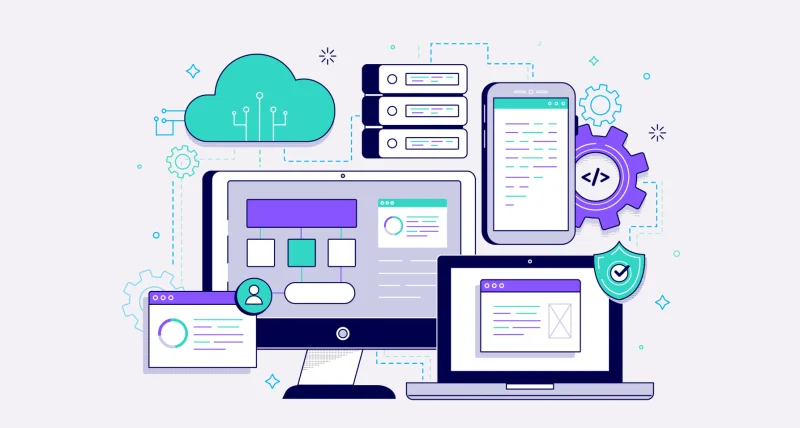
In this model the CRM connects to the ERP, marketing tools, the online shop, accounting software and project management apps. Each process leaves a trace that other departments can see in the form they need.
What each department gets from an integrated CRM
Marketing: from campaigns to conversions in one place
Traditionally marketing generates leads, throws them over the fence to sales and moves on. With an integrated CRM, marketing sees the whole customer lifecycle: from the first ad click, through every interaction, to the closed deal and the customer's lifetime value.
That makes it possible to:
Optimise campaigns by actual ROI, not by the number of leads
Pass the hottest leads to a salesperson at the right moment, automatically
Personalise communication using customer behaviour and history
Segment the database by real buying patterns instead of assumptions
Salesforce's State of Marketing Automation reports that companies running marketing automation integrated with their CRM see, on average, 14.5% higher sales productivity and 12.2% lower marketing costs.
Sales: more context, less guessing
For sales, an integrated CRM means information that really changes how a conversation goes. Before a meeting the salesperson can see:
The full history of marketing messages and the customer's reactions
All previous purchases and their value
Reported problems and their status
Preferred communication channels and the best time to call
Documents, quotes and correspondence in one place
Harvard Business Review research is often quoted here: full customer context raises win rates by about 26% and shortens the sales cycle by up to 18%.
Customer service: from firefighting to proactive care
When the CRM is the hub, support no longer lives in emergency mode and can plan ahead. The system can automatically:
Send VIP cases to the right specialists
Suggest solutions based on similar earlier cases
Warn the salesperson when a key client reports a problem
Flag patterns that may point to a risk of losing the customer
Links to sales data also allow proactive moves. The system can propose a bigger plan when a customer nears the limits of the current one, or recommend an upgrade after looking at how the product is used.
Finance and accounting: less manual work, fewer errors
Connecting the CRM to the ERP or a financial module makes the path from quote to invoice smooth and automatic. You get:
Invoices generated from closed CRM opportunities
Synchronised payment status and automatic reminders
No manual re-entry of data between systems
A real-time view of receivables and financial forecasts
Reports by customer, project or product category
An Aberdeen Group report says companies with integrated CRM and ERP make 23% fewer errors in financial documents and save around 16 hours a week on manual data entry.
Project management: full visibility of delivery
For companies that deliver client projects (agencies, software houses, consultancies), a CRM-based hub changes a lot. Integration with project tools lets you:
Link each project to the client and their history
Track progress, milestones and billing in one place
Keep clients informed about status without extra work
Check project profitability in the context of the whole client relationship
Plan resources from real data on team workload
What you gain by centralising operations in the CRM
Better data and a single source of truth
When each department keeps its own records, duplicates, inconsistencies and errors follow. One customer ends up under several names, with different addresses and contact details. In a central CRM there is one master customer record, updated by all connected systems.
The effects:
About 60% less time spent cleaning and verifying data
No mistakes caused by outdated or wrong information
Reliable reports and analysis without stitching data together by hand
Automated workflows between departments
With the CRM as the hub, processes stop needing manual coordination. The system "knows" what should happen after a given action:
A closed sale creates a project in the delivery system
A complaint alerts the relevant salesperson and pauses planned marketing activity
A customer who exceeds the credit limit has new orders blocked and finance is told
An expiring warranty triggers an offer for extended support
Forrester Research data suggests that companies with advanced process automation in their CRM gain 20 to 30% in team productivity.
Faster, better decisions
Management needs complete context in real time. Managers shouldn't have to wait for monthly reports or chase each department for pieces of data. At any moment they can see:
The current sales pipeline and revenue forecasts
Customer satisfaction metrics and trends in support requests
Campaign effectiveness measured in real conversions
Profitability by customer, product or region
Growth without chaos
As a company grows, processes get more complex and headcount rises. With scattered tools, every new hire is one more thing to coordinate by hand. In a central CRM, newcomers get access to what they need, with current data and clear processes.
So the company can grow without administration and coordination costs growing at the same pace.
Challenges of building a CRM hub, and how to handle them
Integration with existing systems
The hardest technical part is connecting the CRM to systems that already run: ERP, e-commerce, marketing tools, communication platforms. The way through is to work in phases:
Map the data flows. Define exactly what information must move between systems and in which direction
Choose the integration method. API, middleware, ETL, webhooks: each has its place
Build the priority integrations first. Start with the ones that pay back fastest
Test and tune. Check that data syncs correctly and on time
A well-built integration works in the background. Users just find the information they need.
Changing the organisation's habits
Technology is only a tool. The real change happens in how the team thinks. Departments need to accept that:
Sharing data makes the whole organisation stronger and doesn't weaken any team
Transparent processes help people collaborate and are not a form of control
Automation removes routine tasks and leaves time for work that matters
What helps in practice:
Explaining the benefits to each department in its own terms
Getting team leaders to champion the change
Training people on the new processes, not only on the system
Rolling out gradually, with room to adapt
Security and permissions
Once several departments work in the CRM, data security matters a great deal. Each user should see only what their job requires. That calls for:
A precise system of roles and permissions
Encryption of sensitive data
A log of all actions in the system (audit trail)
Regular security reviews and updates
Access policies that comply with GDPR and other regulations
How to start turning your CRM into an operations hub
Audit current processes and systems
Begin with an honest look at how information flows in your company today:
Which systems are used, and by which teams?
Where is data duplicated or retyped by hand?
Which processes cause the most errors or delays?
Where is the information needed for decisions missing?
The audit shows where improvement potential is greatest and where integration will return the most.
Choose the right CRM platform
Not every CRM can play the hub role. What to check:
Open integrations. Is there an API, and ready connectors to popular systems?
Flexible configuration. Can it follow your company's own processes without rebuilding the whole system?
Scalability. The system has to grow with the company
Automation. Workflows, triggers, notifications
Often a custom CRM designed around the company's processes is the better choice, rather than squeezing an unusual business into the rigid frame of an off-the-shelf product.
Phases instead of a "big bang"
The most successful implementations of a CRM hub go step by step:
Phase 1: Stabilise core sales functions Phase 2: Marketing integration and lead nurturing automation Phase 3: Connection with customer service and the ticketing system Phase 4: Financial integration and document automation Phase 5: Advanced analytics and AI for forecasting
This lowers risk and leaves room to collect feedback and adjust along the way.
In short: the CRM as the base of the business
A CRM used only for sales wastes budget and potential. A modern organisation needs one central place where customer information comes together and business processes are coordinated.
This isn't a vision of the future. It is available today. Companies that have made the change report, by their own estimates:
25 to 35% higher team productivity
20 to 30% lower operating costs thanks to automation
15 to 25% higher customer satisfaction through better coordination
30 to 40% faster decisions thanks to complete data
Success depends on a few things: a thorough audit of needs, a flexible choice of technology, well-thought-out integration and careful management of organisational change. It pays back many times over, and not only in numbers: the team's daily work gets better too.
Want a CRM that becomes your company's hub?
If you want a system built around your organisation's own processes, contact us. We help turn business goals into concrete IT solutions. We build custom CRM systems and integrate them with ERP, automation and AI tools that support business growth.
We don't sell ready-made templates. We design solutions that grow with your company.


